Translate




Scammers impersonating county staff are becoming more common. Don’t fall for phishing attempts.
Clackamas County staff will:
- Never request payment via wire transfer or text message
- Never require all communication to take place by email (we’re happy to speak with you by phone at 503-742-4400.)
- Check before you pay. Did you receive an email or text message requesting payment?
- Official staff emails end in @clackamas.us or @co.clackamas.or.us
- Development Direct permitting system emails end in @avolvecloud.net
If something feels off, trust your instincts. Do not click links or authorize payments. Contact the county staff member you have been working with or call our customer service specialists at 503-742-4400 to confirm any request.
Verify your property zoning and allowable uses
You can verify property zoning on CMap by performing a search for an address.
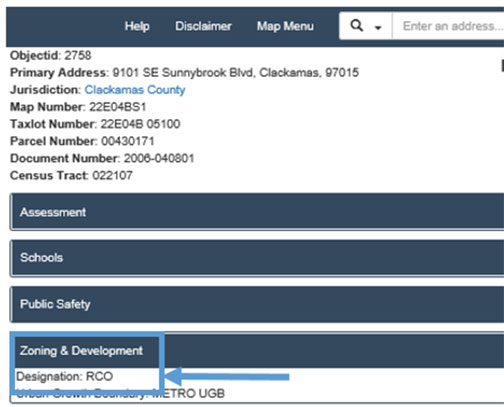
Look up the zone designation in the County Zoning and Development Ordinance to learn more about zoning and the allowable uses.
Download the land use application(s) that best fits your project
This is the land use application process for residential, commercial and industrial, and farm and forest development. Our most common land use applications are listed below, additional forms can be found on the Planning and Zoning webpage.
- Accessory Dwelling in Conjunction with Farm Use – for a second accessory dwelling to house farm workers.
- Accessory Historic Dwelling – for turning a historic dwelling in to a second accessory dwelling.
- Appeal Form – appeal a Planning Director decision, or conditions of approval, to the Land Use Hearings Officer. Specific timelines apply; please work with our staff prior to submitting.
- Conditional Use – request to use your property in a way that is not outright permitted in your zone. A Pre-Application Conference is required.
- Design Review – review of proposed site development and structures for commercial, industrial and multifamily projects. A Pre-Application Conference is required.
- Dwelling in Conjunction with a Farm Use on High or Low Value Farm Land – a single-family dwelling on Exclusive Farm Use (EFU) or Agricultural/Forest (AG/F) land when the land is currently being farmed and when a certain amount of income has been generated from the sale of crops and livestock grown/raised on the property.
- Farm Stand – approval to operate a farm stand in AG/F or EFU zoning district.
- Forest Dwelling – for lot of Record Dwelling, Forest Template Dwelling, 160 Acre Minimum Forest Dwelling, or 200 Acre Noncontiguous Dwelling on land zoned Timber District (TBR) or AG/F.
- General Land Use Application - to request County land use approval when Planning and Zoning has no other application form for the type of request.
- Home Occupation – to seek approval to use your home for your business.
- Nonconforming Use – to request verification, restoration, replacement or a change of an existing use that does not comply with current zoning.
- Partition – to split your property in to two or three lots. A Pre-Application Conference is required.
- Pre-Application Conference – a meeting to provide project specific information on Clackamas County development policies, procedures, fees, and environmental regulations.
- Property Line Adjustment – to relocate a common property line between two abutting lots. No new lots can be created with this application.
- Subdivision – request to divide your property into four or more lots. A Pre-Application Conference is required.
- Temporary Dwelling for Care – for a temporary manufactured dwelling or recreational vehicle to house a person who requires assistance from another person with daily activities as well as their caregiver.
- Temporary Dwelling While Building – for a temporary second dwelling while constructing the primary residence.
- Variance – to request an exception to a dimensional standard, such as a minimum setback, that typically applies in your zone.
- Zone Change – a request to change the zone of your property. A Pre-Application Conference is required.
Paying for your permit
| Online Payments (Credit/debit card) | We accept credit and debit card payment through Visa, MasterCard and Discover Card. Note: Bank service fees apply when using a credit/debit card.
|
| eCheck | ou can pay online through your Development Direct account with an electronic check (ACH payment). Note: Bank service fees apply when using eChecks. |
| Cash, In-Person Payments | You may pay with cash in-person, from 8 a.m. to 4 p.m., Monday through Thursday, at 150 Beavercreek Road, Oregon City map. Note: You will still need to submit your application materials online. |

Please note:
- Processing of your application will be paused until we receive funds.
- You will receive an email letting you know that the Plan Review process is underway once you have met all the submittal requirements, Prescreen Review is complete, and any necessary fees are paid.
- We can only accept .PDF file types.
- Once you have paid for your permit, Staff will review the submitted application materials for completeness.
- If you are unable to submit your plans electronically, please contact us. You can reach us by phone at 503-742-4740, via email at dtdcustomerinfo@clackamas.us, or you can stop by to obtain in-person assistance on a computer at our counter during business hours. Appointments can be scheduled online.
Customer Service Hours
Monday to Thursday
8 a.m. to 4 p.m.
Development Services Building
150 Beavercreek Road
Oregon City, OR 97045
Submit all documentation
After your application has been processed, you will receive an Upload and Submit message with a link to upload your project documents in Development Direct.
To help your project move through the process quickly, please make sure that you upload your project drawings and documents correctly.
- Drawing sheets
- Upload into the drawing folder.
Upload in landscape (horizontal) orientation.
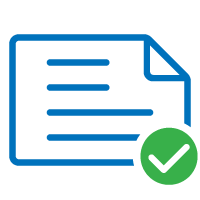
landscape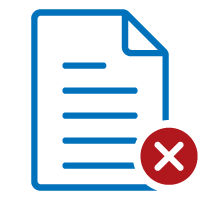
portrait- Upload each sheet as a single file.
- All drawings must be PDF.
- Use the drawing file naming conventions shown in Step 1 above.
- Documents (reports, calculations, etc.)
- Upload into the documents folder.
- Upload all documents as one complete document or packet, not as individual pages.
- Documents must be in a PDF format.
- Remember to complete your task when you are done uploading all your drawings and documents.